Skip to Content

Summer Budget Travel Tips from Gadling
AOL Tech

Filed under: iPod Family, Developer, iPhone, SDK

Developer-to-developer: application sharing for the iPhone simulator

Last week, TUAW showed you how to sign iPhone applications for informal developer-to-developer distribution. That approach lets you share applications between members of the iPhone developer program by using your signing credentials to authorize the application for use on your development units.

iPhone applications compiled for the Intel-based simulator can also be shared between developers. And, since the free developer program offers access to the simulator, the apps can be distributed even more widely than with the re-signing approach.

Simulator testing does not offer the full suite of device-specific capabilities. You cannot simulate the onboard camera or retrieve proper accelerometer feedback. The simulator does not vibrate or provide general multitouch input. (You can pinch, but that's about it.)

The strength of simulator-based distribution is that it lets you send out applications for early testing and feedback. Sim-only tests strengthen the preliminary design process; this approach helps solicit feedback on user interface and general program layout before the main development push gets underway.

Simulator-based apps are easy to transfer and easy to use, cutting out a layer of overhead that's needed for when you go to a full ad-hoc beta.

To distribute a simulator application, go to the Library/Application Support/iPhone Simulator/User/Applications/ folder in your home directory. There you'll find the application sandbox folders that are currently installed for your simulator. Each folder is named with a unique id (i.e. 56E66CE5...DC028F) that does not reflect the folder's contents.

You'll have to peek inside to determine which folder is which.The folder contains the application, and three sandbox directories: tmp, Library, and Documents.

To share a simulator folder compiled for 2.2.1 and earlier, you must zip up both the folder with the application and the .sb (sandbox) file that shares the same name as the folder. 3.0 and later applications do not use a .sb file. Just zip up and share the folder.

Install the shared app by decompressing its sandbox folder (and, for 2.x, its .sb file). The recipient must have installed the iPhone SDK. Drop it into the simulator's Applications folder on another machine and launch the simulator. The app should appear in the simulator, ready for testing.

Filed under: Retail

VA Apple store closed due to shooting, armed robbery attempt


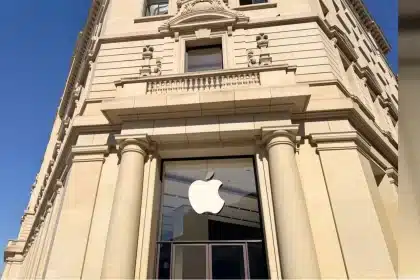
The Clarendon Apple Store in Arlington, VA is closed today as police investigate a shooting that took place there this morning. The Washington Post reports that a woman was injured via a gunshot to the shoulder during an armed robbery attempt. TV station WJLA adds the detail that the victim was an employee who went to answer a knock at the store's rear service door.

I've shopped at the Clarendon store, and the staff has always been unfailingly helpful and courteous. I hope that the victim of the shooting enjoys a complete and prompt recovery, and that the Clarendon team can also recover quickly from what must be a very traumatic experience.

Via jdonels tweet, thanks Chris Anderson.

Filed under: Software, Freeware, Friday Favorite

Friday Favorite Triple Pack: Alarm Clock 2, Apptrap, and TimeMachineEditor

When I consider what should really be system software, I always think of three little beauties that belong on every Mac: Alarm Clock 2, AppTrap and TimeMachineEditor. They are all one-trick-ponies, take up little space, are free for the downloading, and Apple should buy them up for Snow Leopard.


Alarm Clock 2
, currently up to version 2.4.5, sits nicely on your menubar ready to awaken you with your favorite song, or remind you that your dinner is ready to come out of the oven. You can set an alarm to use any song from your iTunes library, or if no song is chosen, it will just beep at you.

It has an Easy Wake option that slowly brings up the volume of your chosen song over an adjustable period of up to two minutes. As any good alarm clock, it comes with a snooze feature, which is also adjustable. I use it mostly as a kitchen timer that keeps me out of the kitchen. Multiple alarms can be set of course, and if you happen to have an Apple remote lying around, pushing the pause button will tell an alarm to 'snooze'. Since downloading it, I can't think of a day that that I haven't used it at least once


Apptrap is a preference pane that allows you to delete applications more completely than dragging to the trash and emptying. Trashing the normal way usually leaves support files in your library folder that will never go away and do nothing more useful than take up space.

With Apptrap installed, whenever you drag an application to the trash and try and empty the trash, you are presented with a window showing you the file and all support files that go along with the application, allowing you to trash them all together in one stroke. There are no settings, options or anything else to worry about. Just install it and forget it. The next time you delete an application, it will be there for you.

Note that AppTrap is open source but is no longer being actively maintained; the developer is looking for someone to pick up the project. If you want a commercially supported uninstall tool, you can check out the $12.95US AppZapper or the highly-recommended and multicapable file organizer Hazel for $21.95. Mat also wrote up a helpful Mac 101 on uninstaller tools last year.


TimeMachineEditor stops Time Machine from backing up every hour. On my network, with four Macs backing up to Time Machine, hourly, the network slows down to a crawl. This is especially annoying since my information isn't critical enough to be backed that frequently. TimeMachineEditor allows you to set exactly when Time Machine will run.

You can set backups for hourly intervals, like every 12 hours, or set up calendar backups which allow you to backup daily, weekly or monthly at any time you set. The hourly calendar interval is new to version 2.1. I have my Macs backup once a day during the wee hours with each Mac staggered by an hour or so to keep the network hit to a minimum.

Download all three and see how these brilliant little afterthoughts improve your Mac life.

Filed under: Analysis / Opinion, Hardware, Humor, Odds and ends, iPhone

Want to BBQ with the iPhone? You don't even need an app


Not really -- if you really are planning to grill up some meat (or mushrooms and pineapples, they're good too) today or this weekend, you'll need a little more heat than your iPhone will give. But it's true, Apple's little handheld can get nice and toasty when it's really working*, and illustrator Chad Covino made a little Fourth of July BBQ-themed sketch about that very subject. We love it -- very nice work!

My iPhone does get hot, but not so hot I can't pick it up -- usually when I'm running 3D for a longer stretch of time or when the phone is doing some serious calculating like audio or photo editing, I start to feel the heat coming off the back. Batteries are to blame for some of the more extreme problems, however, and that's not a huge surprise, given that batteries in any mobile device have their issues. The good news in that case, however, is that the phone is unlikely to actually explode -- the repair guy Wired talks to says that "a little bit of smoke eventually is probably the best bet." Not that a smoking iPhone is a good situation at all, but you can at least be sure that your iPhone is not quite as hot as the fire under your burgers this weekend.

[* Note that the Apple KB article referenced here about temperature warnings/"don't leave the iPhone in the glove compartment" for the iPhone 3G and 3GS is not a new post, nor is the temperature alert screen unique to the 3GS; the KB was simply updated to include the newer device. Jim Dalrymple at The Loop has a solid rundown. FoxNews incorrectly reported that the support article was specific to the 3GS, but then did cite PC World's Melissa Perenson and David Coursey with personal stories of wicked-hot 3GS units. If your 3GS is overheating, check in with Apple support or your local AT&T store. -Ed.]

Filed under: iPhone, App Store, App Review

Cruising with the AT&T Navigator

I love GPS. in the mid 1990s I had a Garmin unit that had no maps, just a bread crumb trail of where you were and where you'd been. I lived in England at the time, and thought I had a highly original idea to take it to the Royal Observatory at Greenwich and walk across the Meridian line and watch the screen as the numbers dropped to zero longitude. When I got there, I was hardly alone. I was surrounded by other geeks doing exactly the same thing. Oh well.

GPS has come a long way, and AT&T has released their subscription based Navigator [App Store] for the iPhone. It requires OS version 3.0. It is fee based, and will set you back US$9.95 a month on your AT&T bill. It is loaded with features, and has voice guided turn by turn directions. It also offers:

  • Automatic rerouting
  • Updated maps with no additional charge
  • Real time traffic updates
  • Fuel Price searches and navigation to those locations
  • Point of interest searches in all the usual categories like ATM machines, hospitals, restaurants, airports

The map gives you a 3D view from a position just above and behind your vehicle. On the setup page you can chose flat maps if your prefer. I found the maps easy to read but would have preferred a landscape view instead of portrait (there is no option to change the orientation). I saw a little lag when driving, but generally the response was fast.

The app really needs a 3G connection. It works on the EDGE network, but was slow to load graphics. If you are somewhere where you have neither you are out of luck. No maps are contained on the app and nothing is cached. In essence, the app is only as good as the AT&T network, and if you do a lot of driving where the network is weak or absent, you'll be navigating on your own.

I found the voice very hard to hear. This is a limitation of the iPhone speaker. It just wasn't designed to be played at a loud volume. On the highway, with road noise, good luck hearing that warning to turn. Of course, the directions are on the map, but the whole purpose of voice instructions is to keep you from looking at the map.

Other features are a high altitude view of your entire trip from beginning to end, a list of your turns on a scrollable page, directions to the nearest AT&T WiFi hotspots (nice), and the ability to set your default navigation method like shortest, fastest, traffic optimized, prefer highways or streets, or pedestrian routing if you're not driving.

I found the voice alerts were too frequent. Frankly, the app is a blabbermouth, and it kept reminding me of a faraway turn too often for my taste. It would be nice to be able to set just how aggressive the voice warnings are.

The big question for most iPhone users will be whether to wait for other nav apps to appear. TomTom is imminent, as is an app from Navigon. They both download the maps to your phone, so you are not dependent on the AT&T network. You only need GPS, and that signal is everywhere. You could also buy an inexpensive dedicated unit; on the low end that will cost about the same as a year of the AT&T subscription, and will certainly have a better speaker. Of course, there will be fees to update the maps, but in my experience you can use a GPS for years without doing that. Points of interest change, but the iPhone provides other sources like Google for up to date info.

I also think it is a bloody shame that the AT&T app has no access to your address book. Apple has walled that data off from 3rd party apps, (Update: Apple provides the ability, the Navigator app hasn't implemented it) and it is just senseless to have you type everything in again. You can copy and paste the data, but it is a needless pain. The AT&T app has this access when it runs on other phones like the Blackberry.

In summary, the app works, and is feature laden. I'm not sure it is the best option for in-car navigation, and you might want to wait for other solutions to appear. Of course, you can always get the AT&T app and cancel. It's a month-by-month charge.

So how is it like to drive with this app? My colleague Steven Sande did just that, and his report will follow soon.

Before you go, here are some screen shots to give you a look at some of the features on AT&T Navigator:

Filed under: Apple, Security

Apple Learning Interchange: Security Compromise

Apple is apparently alerting ALI forum members that Learning Interchange account passwords have been compromised. In a message forwarded to us by several TUAW readers, Apple warns that members who commonly use the same credentials on multiple sites may be at risk. If you are an ALI account user, please consider updating any accounts that use identical credentials. Here is the Apple quote that was sent to us.
We recently learned that the security of Apple Learning Interchange (ALI) members' names and passwords may have been compromised. These accounts are limited to accessing the ALI discussion board and do not contain sensitive information such as credit card or social security numbers.

While ALI member names and passwords are not linked to your Apple ID, our records indicate that your ALI member name and Apple ID are the same. For this reason we strongly recommend that you change your Apple ID password as well as any others that might have the same name and password combination.

At the time of posting, the ALI site (also linked to in the Source link) is unavailable. We do not have confirmation from Apple about this situation, although we have contacted them for a statement.

Filed under: iPhone

Because you can never have enough iPhone news... three more stories

While most of us at TUAW (in the US, anyway) are staring out the window, running down the clock to hit the lake or ocean or pavement in some manner, the intrepid bloggers of Engadget never take a vacation. Here are three* iPhone stories they posted today:

Apple patent applications offer glimpses of haptic screens, RFID readers, fingerprint ID
Oh man, haptics on the iPhone would be so sweet, and finally give us a little more than annoying clicks when typing. RFID and fingerprints? Well, that I'm not so keen on.

Apple patching nasty iPhone SMS vulnerability
Good ol' security maven Charlie Miller poked into the soft underbelly of the iPhone and discovered a pretty gnarly SMS hack that could potentially have your phone activating GPS, the phone's mic, and other nastiness. Perfect setup for a Tom Clancy novel or totally scary vulnerability? Read the HotHardware piece and see for yourself.

iPhone facing potential trademark issues in China?
Yeah, who'd have thunk there would be a trademark dispute over the name iPhone in China, right? Funny thing is, Apple has a trademark on iPhone in China... just not on mobile phones. Oops.

[Thanks to the tipsters who sent these in a while ago, there's fresh beer in the fridge in the garage!]

*OK, four stories. MG Siegler over at TechCrunch has a linkalicious report on Facebook's upcoming new iPhone app featuring... video uploads! (gasp, applause, nausea, use as directed)

Filed under: Retail, iPhone

iPhone is humongous for AT&T

Mac Daily News and other sources are reporting today on a leaked AT&T memo that states that the company retail stores had their best day ever with the launch of the iPhone 3GS.

"iLaunch day 2009 was one for the record books, as AT&T customers scrambled to get their hands on the fastest, most powerful iPhone yet.

Here's a look at some of the milestones we achieved:

* Best-ever sales day in our retail stores
* Second-largest traffic day in our retail stores
* Most transactions processed via our IT systems in a single day
* Most upgrade eligibility checks in a single day
* Largest order day in att.com history
* Largest features sales day in att.com history

On this year's launch day, iPhone sales exceeded sales recorded on 2008's iPhone launch day, Black Friday 2008 and Dec. 26, 2008 - all heavy-volume sales days. In fact, this year we surpassed 2008's launch day sales at about noon Central time, and sustained our previous peak hour record, also set in 2008, for 11 straight hours."

If the numbers are accurate, the iPhone blew by most analyst predictions that the iPhone would not sell as well as the 3G iPhone released last summer.

Even better news, numbers like these should give Apple some leverage to force the wireless giant to improve what for many is a mediocre experience using the AT&T network. The iPhone exclusive is up next year, and rumors persist that Apple is talking to other carriers, most notably Verizon.

via Mac Daily News and TechCrunch

Filed under: WWDC, iPhone, iPod touch

WWDC Demo: Zombies, a modern update of Daleks (preview)

I can't count the number of hours I spent at the UT Music Library on a Performa or Quadra or Centris (I had a Centris 610 at the time) playing Daleks. Strangely addicting but incredibly simple, the game mechanic has been repeated often in the casual game universe, and Daleks was essentially a rip of Robots on UNIX. You try to get away from something, one step at a time, as those somethings inch ever closer, one step at a time. It's turn-based "tag." There's a terribly unsatisfying and buggy version called SuperDaleks for OS X here.

Zombies is a bit of an update for the venerable classic, although there's also a classic game called Zombies using the very same mechanic -- nothing new under the sun, eh? But intead of dusting off that old IIsi, you can play Zombies on your iPhone or iPod touch. The developer added spells, allowing you to do something out of the norm each round. So, for example, you could teleport (sometimes seen in variations of this game). You can also destroy zombies with a spell, handy when you're in a no-win position.

The preview you see here is the unfinished version, but it's shaping up to be a pleasant reimagining of a classic. We'll post on Twitter when it's available.

Filed under: Analysis / Opinion, Bad Apple, Apple, iPhone, iPod touch

App Store Rejections: Apple rejects iKaraoke app, patent filed published for a karaoke player

As if the waters surrounding the App Store approval process weren't murky enough, one developer has just hit an unprecedented wall. Apple rejected his app, iKaraoke, citing that it duplicated functionality of the iPod application. Of course, the "duplicate functionality" reason is nothing new, but Apple's next step is: just a few weeks after rejecting the application, they have filed a patent for including karaoke functionality into the iPod app.

A brief look at the demo iKaraoke's website will quickly tell you that, while the app does bear a light resemblance to some of the menus found in the iPod application, the actual interface that the user interacts with to select and download a song is far from duplicating the iPod's polished interface. Another key point is that the file format used by iKaraoke is known as the .kar format -- an unofficial extension of the MIDI specification that enables lyrics to appear in time with music. The lyrics are then displayed on the screen, and highlighted as the song is played. Does any of this sound like functionality found in the iPod app? We didn't think so.

So what exactly was duplicated then? According to apple, iKaraoke "duplicates the functionality of the built-in iPhone application, iPod, without providing sufficient differentiation or added functionality." But they didn't just stop there. The reviewer went on to say that the application "downloads media files that are not managed by the iTunes application, which also manages media files, we believe this would be confusing to the user." Now, hold on a minute here... it's fine for several other apps to stream and download media files that are supported by the iPod without being managed by iTunes, but it's not OK for an app to download media that isn't natively supported, and provide functionality that isn't natively provided by the iPod?

This wouldn't be much different from your typical app rejection if the story stopped there, but it doesn't. This morning, Apple filed a patent [application here] which details built-in Karaoke functionality being added as part of the iPod application, with some additional bells and whistles such as monitoring the pitch of the user's voice. So it seems the functionality that was duplicated is functionality that Apple has not yet released, and possibly not yet even begun to develop. Maybe the $99 iPhone Developer Program fee should include a crystal ball for testing apps before submitting them.

As with the many other patents Apple has filed, this feature may never see the light of day. But is it really acceptable to reject an application, based solely on what appears to be a duplication of a feature that may or may not even be released in the future? Let us know your thoughts in the comments.

Update: As a few of you have pointed out in the comments, although the patent application was published today, it actually was originally filed back in April of 2008. While this does indicate that the patent was indeed filed long before the SDK was even released, questions still remain about whether or not Apple may choose to reject applications based on functionality found in unreleased features.

Similar rejections have occurred with apps that offered podcast downloads prior to the inclusion of podcasting functionality in iTunes, for example. Essentially, what needs to happen is that Apple needs to clear the air on what exactly is considered a duplication of functionality, and to be clear with the developer on exactly what aspects of their application are in violation of this requirement, rather than sending a vague form letter and ignoring inquiries for additional information from the developer.

Tip of the Day

Holding the Command key (aka the Apple key) and pressing Tab will cycle through your open applications. It's easier to Cmd-Tab if you are Copy (Cmd-C) and Pasting (Cmd-V) to and from various applications.


Follow us on Twitter!
TUAW [Cafepress]

Sponsored Links

Featured Galleries

The Macworld Faithful in Line
iPhone First Look
Facebook 2 for iPhone
Apple II Manual
Watchmen: Justice is Coming
iPhone 3G S Launch, Cherry Creek
iPhone 3G S Launch 5th Avenue, set 2
iPhone 3G S launch, 5th Ave
Mobile AppSales
Hulu Desktop for Mac
G4 tower table
Tweetie for Mac OS X
Road Tested: EcoRunner
Primrose hands-on
iPuppy 3D Pet
Welcome to Macintosh Screening
TUAW's Macworld Meetup 2009
TUAW at Macworld 2009 -- North Hall
2009 Macworld Day One
Beejive 2.0
Aurora Feint


More Apple Analysis

AOL Radio TUAW on Stitcher